


Welp, I'm a Modder Now
Part 52 ~ 23 August 2025
Posted: 16 April 2026
Author's note:
Warning: Text and jargon-heavy post ahead! I'd love to show more than tell in this post, but most of this code is off-limits. So if you're not as interested in the coding side of things, feel free to skip this one. I'll be back in the actual game next time! TLDR; I made a mod, which you can download from Modrinth! (Only for Java 1.19.4 Fabric.) Large spoilers on the mod page; come back to this at the end if you intend on actually reading!
~ Lemming
I suppose this was bound to happen at some point. I've collected so many mods that tweaking the game has become something of an obsession. It's a wonder I got this far without cracking open an IDE to be honest. I guess I've just been really lucky that whenever I've needed a little quality-of-life for my playthrough, there's been something on Curseforge or Modrinth to satisfy my desire. But my golden run came to an end this week when I ate a bowl of suspicious stew, and it had the cursed effect of deleting the entire stack. (Gotta be the worst potion effect of all time.)
All I wanted was a mod that changes soups so they don't leave a bowl when consumed – in other words, treats them like any other food. Alas, none were to be found. I know it's a very strange request, since typically this would be a nerf. It only makes sense in a world where you can stack soup! I did find one mod, ezbowls, that moves the leftover vessel into an existing stack of bowls, but it crashed due to a conflict with Stacker. So it falls to me, Mx. Stackwell, to take up the modding mantle and sustain my stack of stew!
I started by scoping out some similar-sounding mods to get a feel for the code. Most mod authors have open Github pages, so I had a little peek at the aforementioned bowl-shifting mod, as well as a few custom food mods. Nothing too scary, I've seen Java code before. But also, it's not *quite* what I'm after. The soup code does a bunch of fun logic to work out where in the inventory the empty bowl should go. That's lovely, but I just want it gone so it doesn't mess with my stacks! The custom foods seem to just clone existing foods, which doesn't tell me how they work under the hood.
Now to begin my modding journey in earnest. I landed on the Fabric Wiki, clicked "Creating Your First Mod", and tried my best to follow along. Thankfully this isn't my first rodeo with modern programming, and while I can't *explain* to you what "gradle build" means, I've SEEN it in action before, and that counts for something!
First steps: Download an IDE (fancy code editor), JDK (Java, but for programmers), and a project template (blank Minecraft mod). I went against the recommendation to use IntelliJ IDEA and instead picked VSCode, since I use the latter at my job, and also because IDEA is a 30-day trial and I don't want to pay money to fix my game. This turned out to be A Mistake, because VSCode threw out a build error that took me way too much googling to figure out. There wasn't a ready fix either. The Fabric setup page presents VSCode as an option for modding (and also another IDE, Eclipse), but since far more people use IDEA, all the tech support resources (forums/QnAs/etc) are based on that. So if you're using something else and it breaks, you're on your own I guess.

So anyway, it turns out IDEA is totally free after all! It just deactivates the paid features after 30 days. At a glance, the "Ultimate Edition" seems tailored for enterprise customers, with features like AI assistants (of course) and database integration. It's safe to say you don't need any of this to write your Minecraft mods! And, seriously, why would most modders use this if it wasn't free... XD So yeah, I installed IDEA, and the project built successfully on the first try. It even popped up with the Minecraft Development plugin by itself so I didn't even have to go and get it. How convenient!
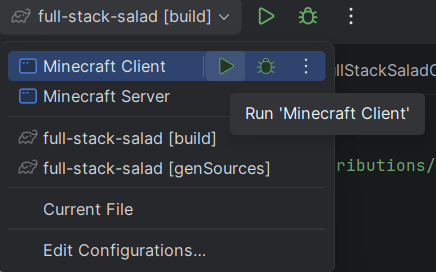
Continuing through the guide, I learned a super cool feature of this system: You can run the game from right there in the IDE! Just click the "Minecraft Client" dropdown in the top-centre and hit the green play button. It opens a self-contained Minecraft instance with your in-development mod added in – perfect for testing! I thought you'd have to compile the mod and add it to your actual game. Whoever came up with this is a genius.
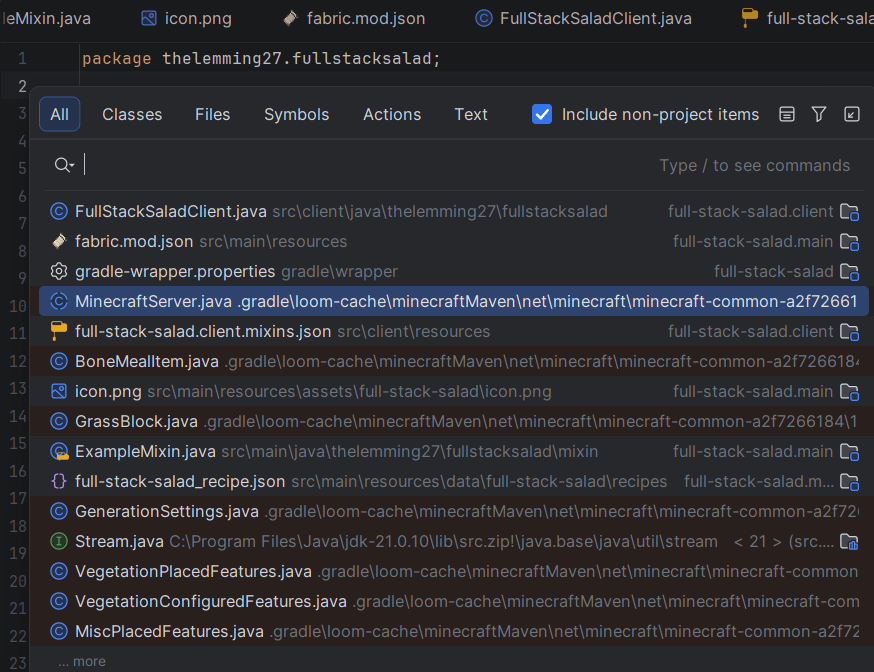
Okay, I can actually think about the code now. There's a special tool to decompile the game (which you legally purchased, for personal use, In Minecraft /meme) and start reading the game's internal logic. I wanted to know how the game handles that suspicious stew, so I searched around the food-related classes for clues. Pro tip by the way: double-tap Shift to pull up the search, and tick the box to include non-project items. That way, you get all the Minecraft code in your search!
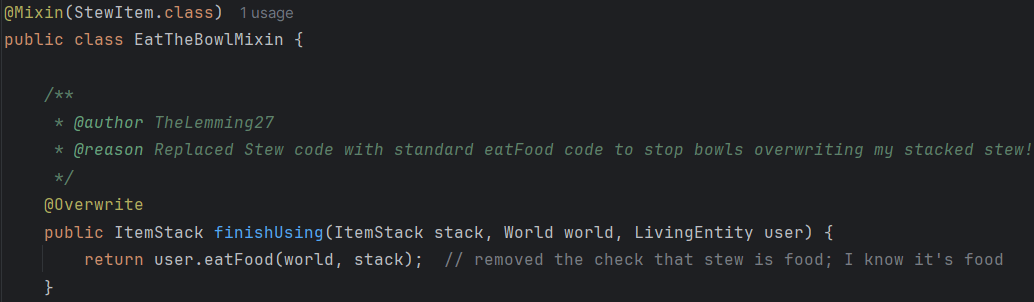
I found a class file that specifically handles food that comes in bowls. That means mushroom stew, rabbit stew, beetroot soup, and suspicious stew. (Yay, inheritance.) I can't show the actual code here, but essentially how it works is: when a bowl food is consumed, it's replaced by a bowl. (Unless you're in Creative mode.) This is in contrast to a typical stackable food where it takes the current item count and reduces it by one. So ideally we could go in and swap that "give me a bowl" for a "subtract one item".
That brings us to the meat of Minecraft modding: mixins. You can't edit the source code (aww, man!) so the next best thing is to write a snippet of code and squeeze it in amongst the original codebase while the game loads up. The mixin system has options for adding or replacing code, and lets you drop your code in at the start of any method. Maybe more places too; I haven't worked that out yet. The "target" string syntax looks positively *cursed*, but you don't actually need to figure this out yourself – you can get it via the right-click menu under Copy/Paste Special.
I followed the instructions to write up a class for the mixin, register the mixin in the mod package, and get at the soup code. But, OOF, there was one more catch: the mixin tech doesn't seem to play nice with inheritance. (Author's note: It actually does! But I wouldn't learn this until my next modding project...) I can't call "super" to get at the parent class (Item), and I can't call inherited methods from the mixin either. Maybe there's a way, but not for this newbie. But, there's always another solution! Just copy the code from the parent class code and dump it straight in. No direct reference to the parent class, no errors! :D
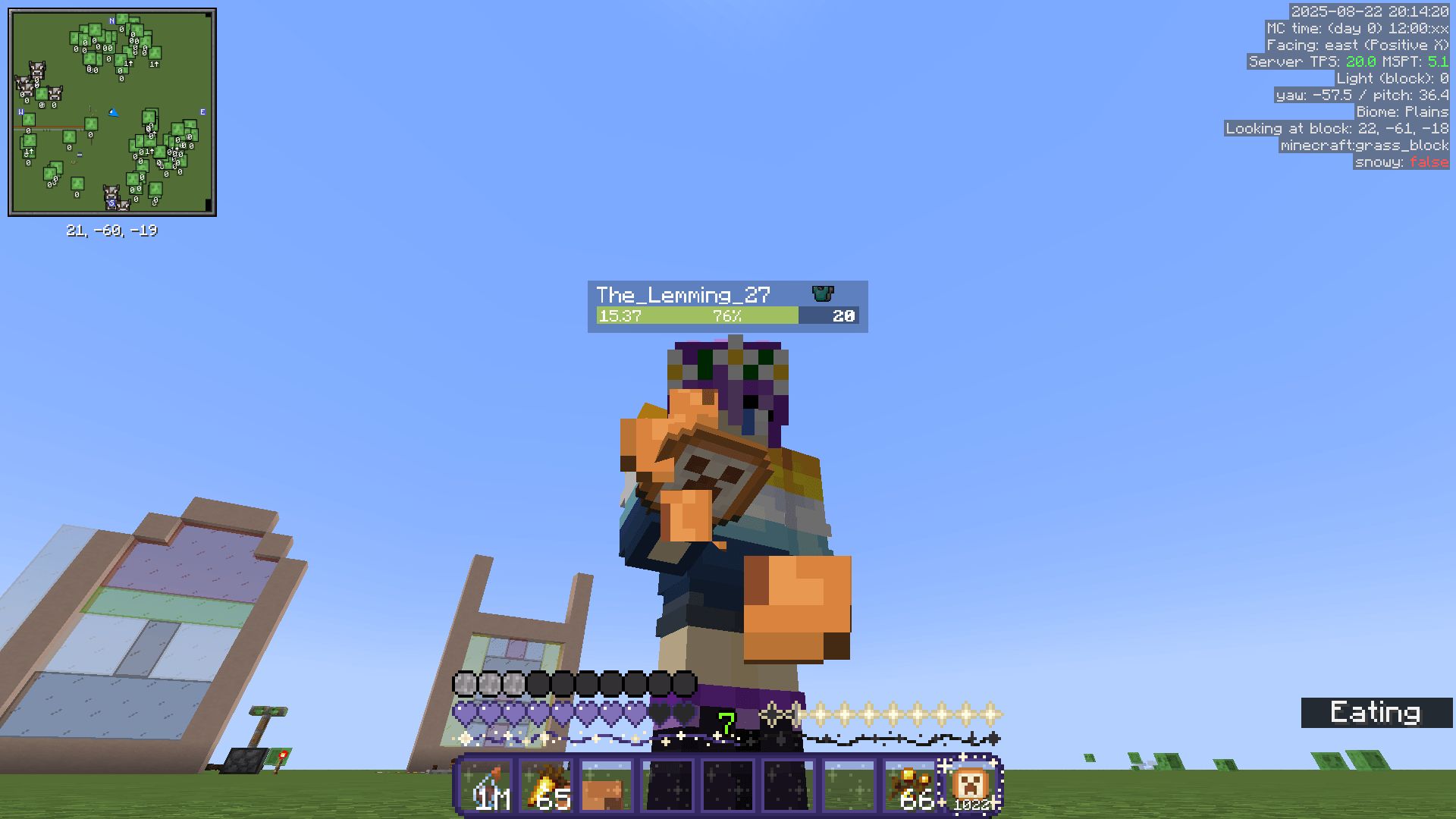
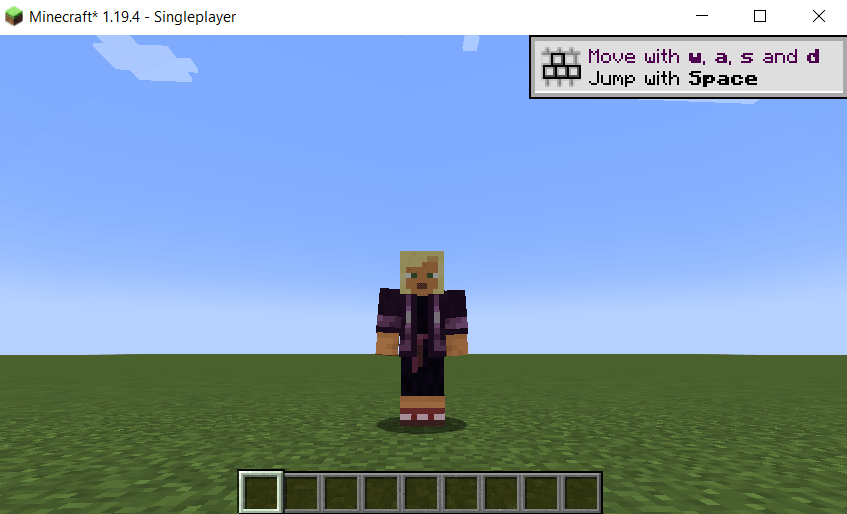
Let's fire up the sandbox and see what happens. It seems I've spawned in as Kai lol. It's fitting actually – Kai is the Māori (New Zealand indigenous) word for food, which is what I'm working on here!
I just need to take a little damage so I can eat this soup, and then... *slurp* ... *CHOMP*
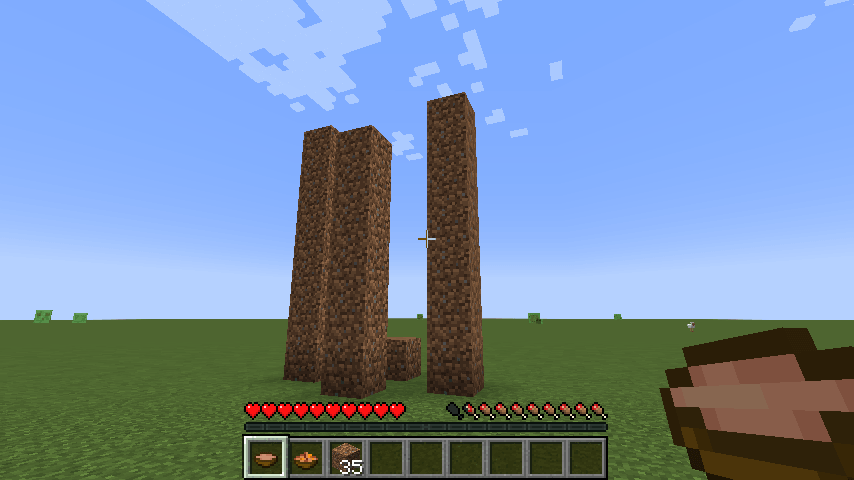
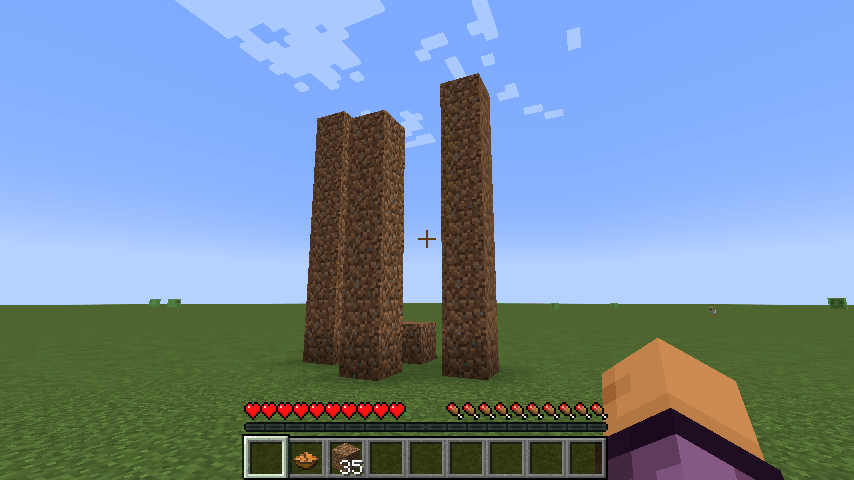
YUM! YIPPEE! It works! The bowl is gone.
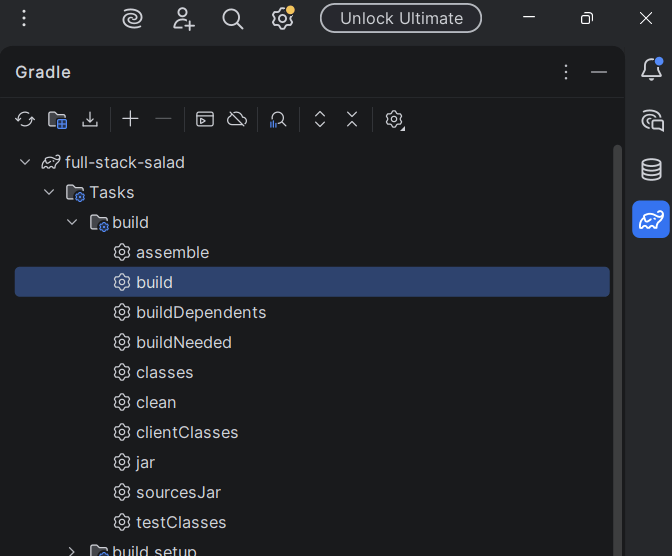
So, uhh... How do I make a .jar file out of this? Am I dumb? Is this something that everyone just knows? *quick search* Okay, go to the Gradle tasks and hit Build. Gotcha.
Now for the true test. DOES IT WORK WITH THE OTHER MODS?
...it crashed. Okay it's just fabric loader. No big deal. Just update to the latest version, try again, and...
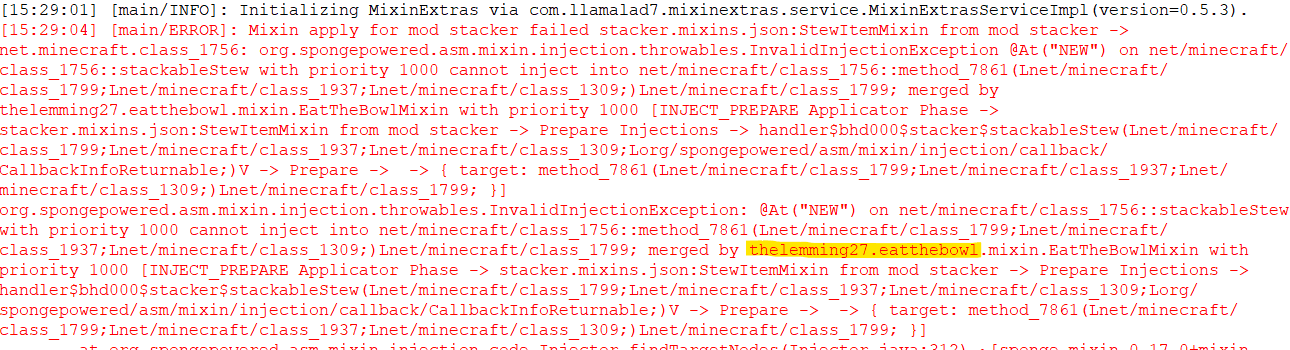
Crap. What happened? Better check the log. Yep, it's clashed with Stacker mod. Apparently it has a specific bit of code that messes with the stew class. And yet, Stacker itself contains an oversight where eating from a stack of soup leaves you with a bowl... Sometimes the crafting life just ain't fair.
You know what, I'm still calling this a win. "Eat The Bowl" is a functional mod! It's just not compatible with the one mod I really needed it to work with... and it's kinda useless on its own. But I've learned SO MUCH already – and I've spawned a whole new line of thinking:
But what if I were to take someone else's food and disguise it as suspicious stew? Delightfully devilish, Ela! :D
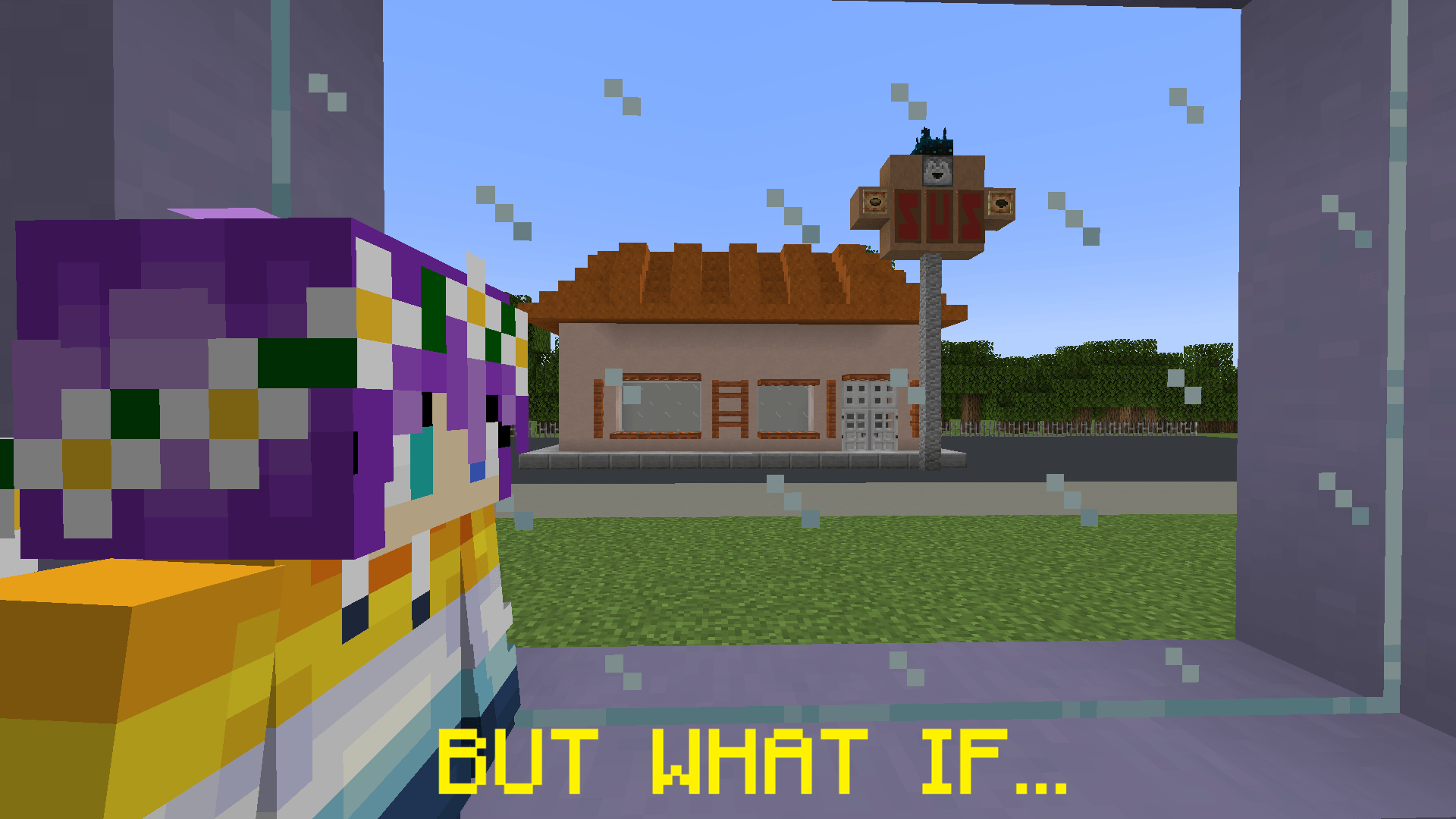
I booted up a couple of custom food mods, and sure enough, they work just fine with Stacker. Which got me thinking. Why don't I do away with vanilla stew and craft up something truly unique? Food mods are way easier to make, and I can just, you know, not code it to be a stew. The hardest part is making a texture, but hey, I'm happy to try my hand at some more pixel art!
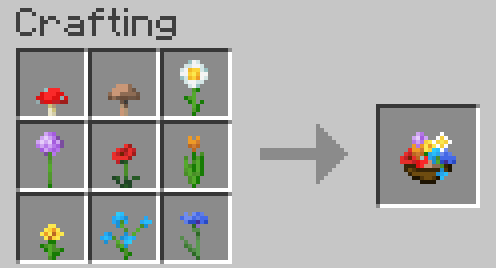
Here's my concept for an endgame food item, inspired by the suspicious stew. I call it the Full Stack Salad. To craft one, you need one of each mushroom, plus *seven* specific flowers: allium, poppy, orange tulip, dandelion, daisy, blue orchid, and cornflower. Those flowers represent my emblem, hair colour, and the aroace flag. I put my SOUL into this recipe! (And also poppies lol.) In exchange for gathering up this lavish bouquet, you get a superfood that gives 20 saturation – completely refilling the hidden meter – and 6 food points, the same as a stew or golden carrot. And here's the crucial point of difference: This salad is STACKABLE! By default, you can cram 64 into one slot, but with my stacker hacks I'm hoping to hold a wee bit more :) And that bowl is just for show! There's no need for a bowl (the recipe space is full already!) and eating the salad won't return a bowl, which of course is why I made this in the first place!
I grabbed the sprites for all the ingredients and had a go at drawing them all into one 16x16 grid. Behold, pixel art!

The mod tutorial for custom items got too confusing (I couldn't work out when or what to swap in for generic text like "itemKey") so I resorted to copying someone's homework... a huge thank you to AzureDoom for the Golden Berries mod!
For the crafting recipe, I found a handy little webtool that spits out json text. There's even a "shapeless" option so you can arrange your flowers in any order and still get the same delicious meal!
Loading the game... I'm the classic Steve this time. The texture works! The recipe works too! But the name hasn't come through. Oh wait, I put the language file with a hyphen instead of an underscore... there we go! Oh, you thought I was Steve? Nope, it's me, Efe!
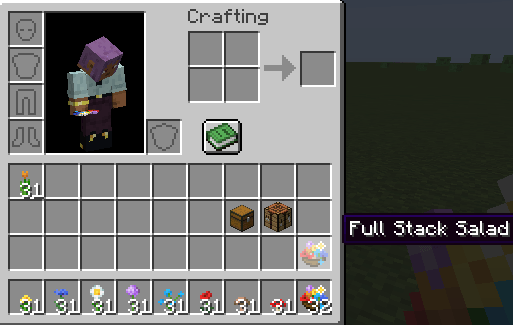
Into the real game! It boots up first time :D I've disabled the starry GUI and re-enabled Appleskin to see the saturation values in action. Wait why does it say 120 saturation? I only put in 20? Soo, it turns out the saturationModifier in the code is part of a formula. It gets multiplied by the food's hunger value (?!) to give the actual saturation amount. Someone tell me why the hidden second hunger value is tied to the first one, when it's entered separately?? Anyway, here it is – it says 11 because it insists on rounding up anything slightly over 10, but hey, this food is cranked up to 11 so it's kinda fitting!
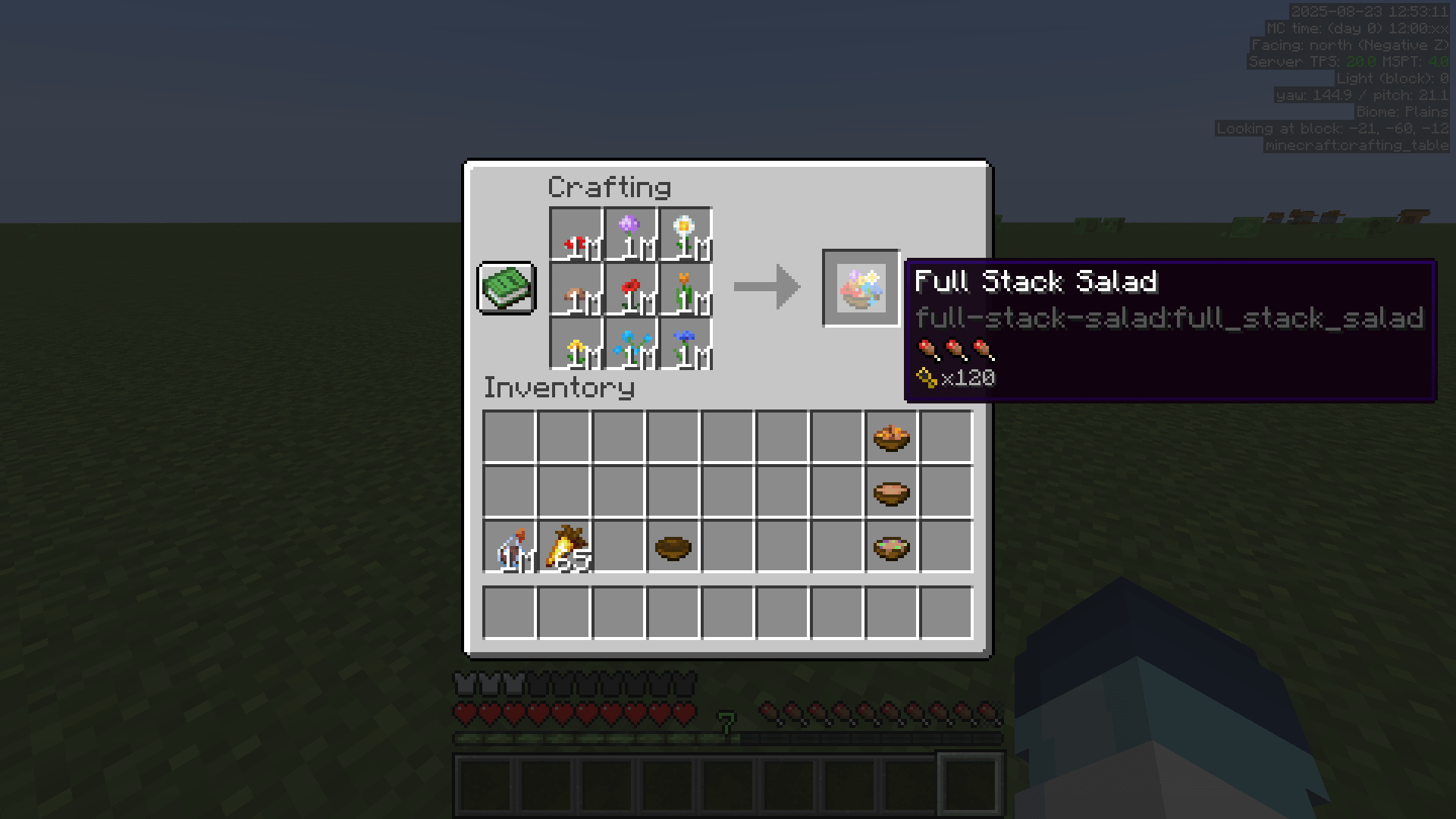
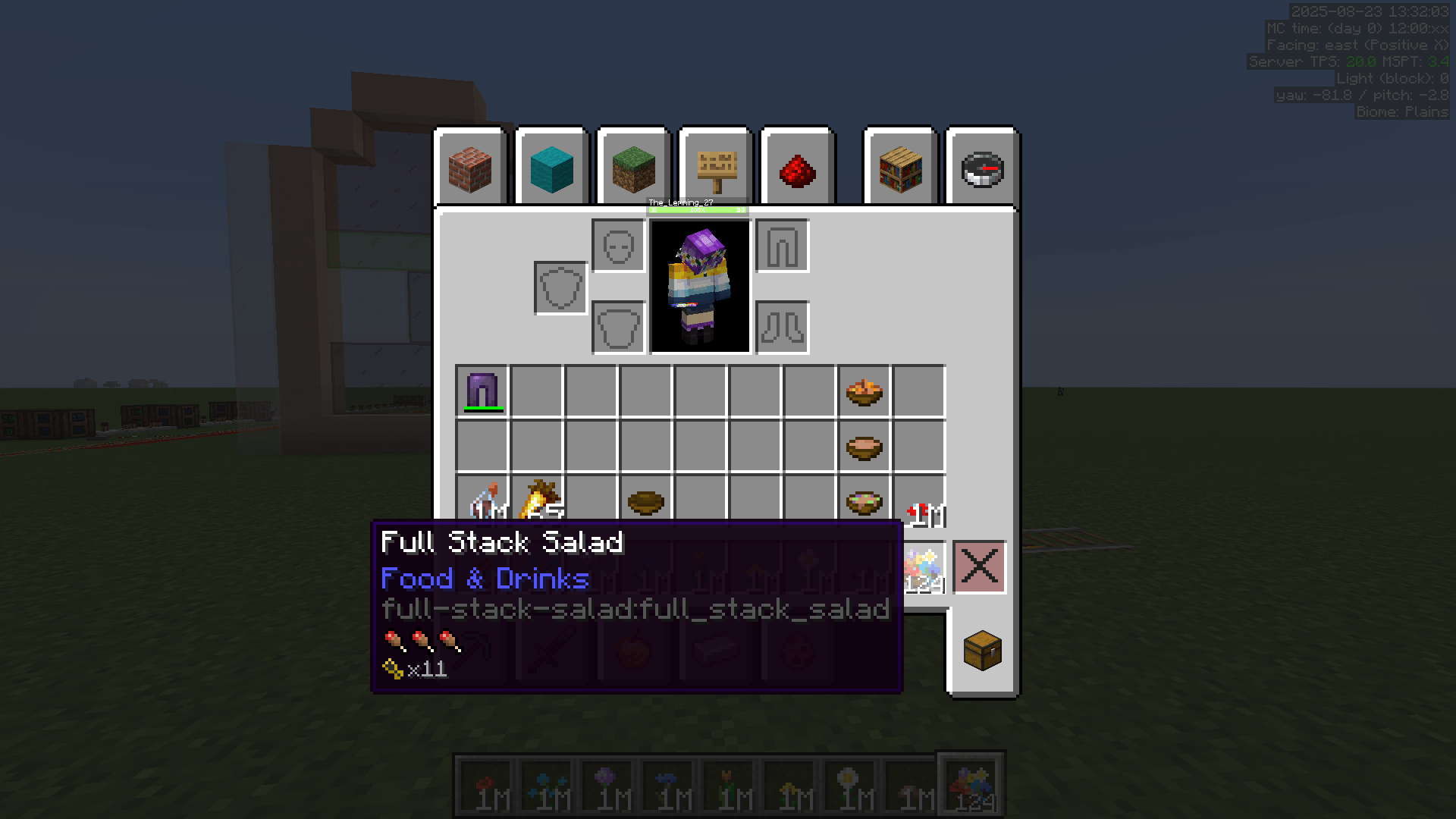
And we're ready for the main event: launching our new brand of salad on Indigo Empire! I'll need a couple more flower farms for full-time full-stackage, but for now I have a modest supply of ingredients. So, it's back to storage to gather up some flowers, and then it's time to chow down on my first official, from-scratch, Full Stack Salad! MM-HMMM! Oh my goodness, it's SO satisfying! I have never felt so FULL since I first spawned in! And best of all, my stack stays intact. This is gonna be a hit, I just know it!
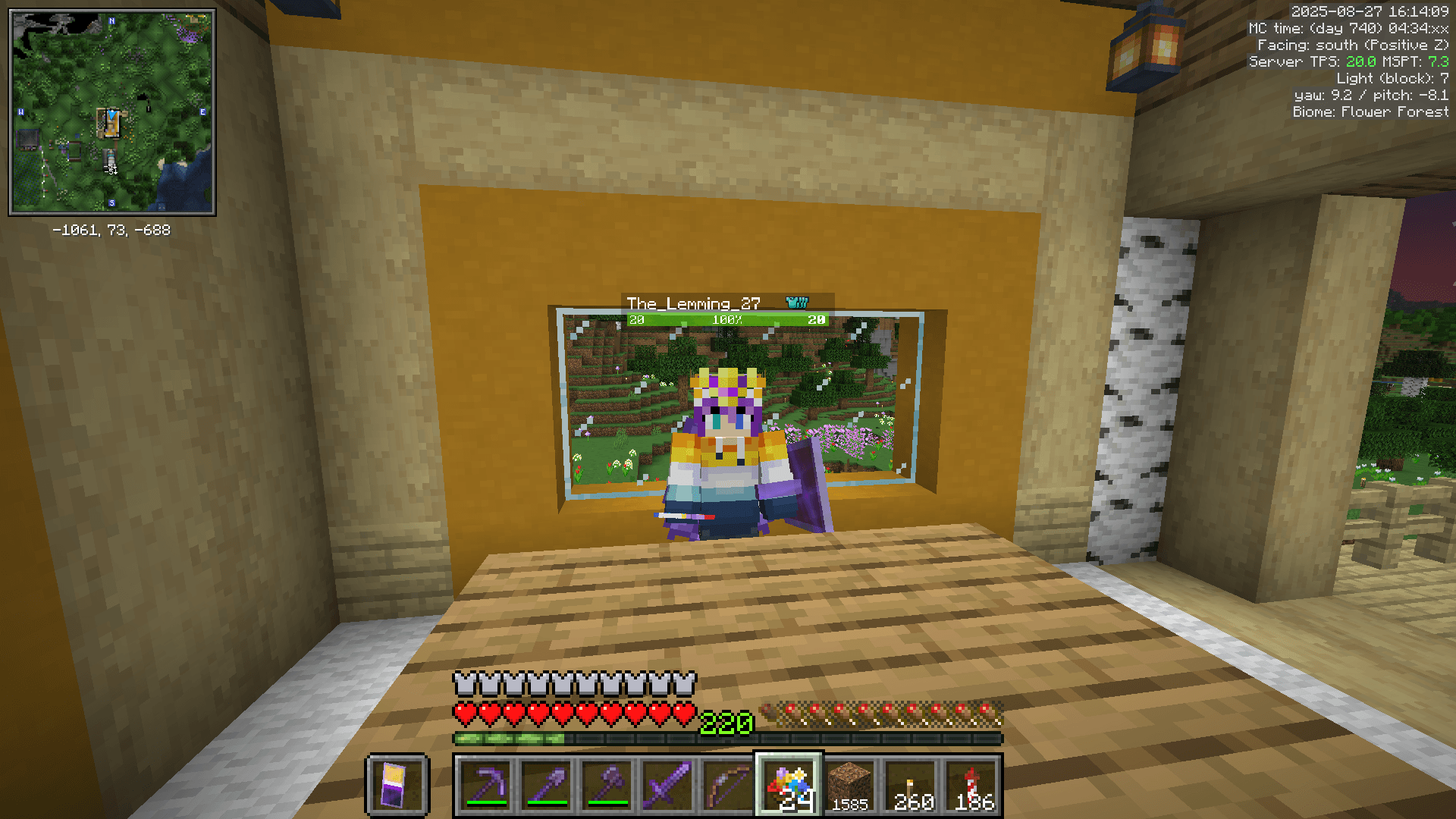
So yeah. That was my first foray into the wild world of Minecraft modding. I went searching for a solution for stackable stew, and saw myself spinning up a superfood salad instead! Along the way, I got a nice little refresher on Java, a basic handle on the IDEA IDE, Gradle, and Fabric mod structure, plus a sneak peek at some Minecraft and mod code! A HUGE thank you to all the contributors to projects mentioned in this post; Minecraft modding is a huge collaborative project and I'm constantly amazed at what you all can do with this platform 💜
